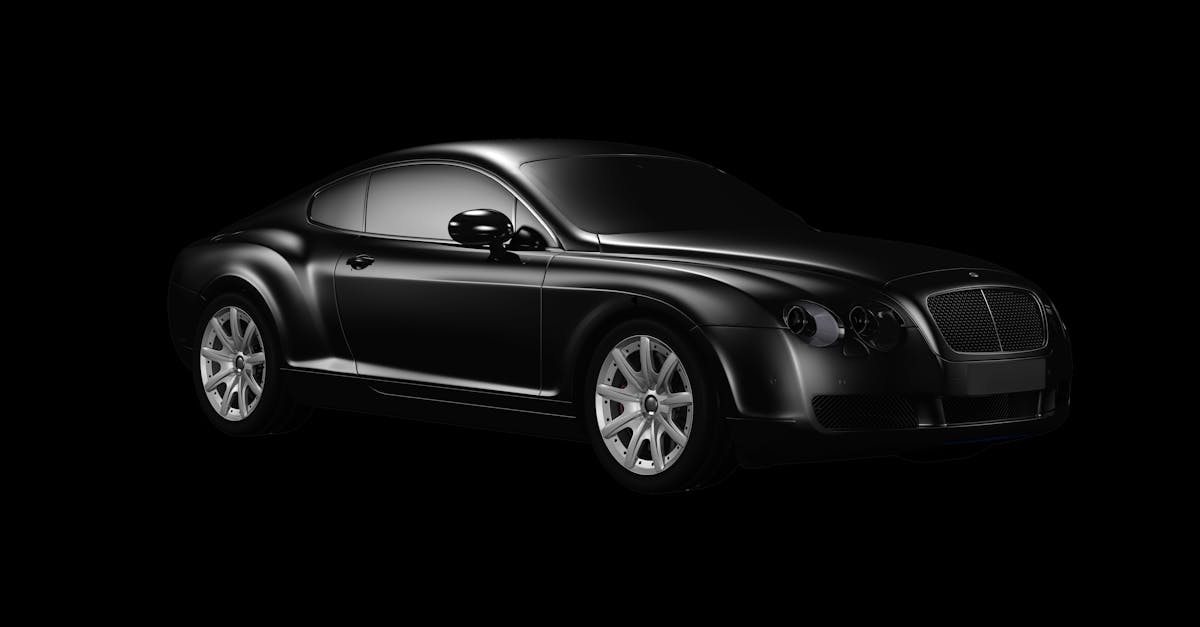
You've seen it on Otomoto a thousand times. A car on a clean, white background: no junk pile in the corner, no neighbor washing his Passat, no reflection of your hand in the paintwork. It looks like it came straight out of a showroom. And you're probably wondering how they do it when all you have is a lot, a phone and fifteen minutes between one customer and the next.
The good news is that a white background on a car photo doesn't require a 30,000 zloty studio. The bad news is that there are several ways to botch it. Let's go through it step by step, because the topic is simpler than you think, but it has its pitfalls.
Why a white background at all?
Let's start with the purpose, because a white background doesn't suit every car. A clean, uniform background does one thing: it removes all the clutter and keeps the buyer's eye on the car alone. Nothing distracts. The car "pops" out of the photo, looks more expensive, and the listing comes across as professional, even if it's a one-man used-car lot outside Łódź doing the selling.
On the other hand, let's not kid ourselves. Buyers in Poland are sensitive to retouching. If you overdo it and the car looks like a render from a video game, you'll raise suspicion. That's why a white background makes the most sense as the main photo, the one that earns the click. The rest of the gallery can be natural and show the car's real condition. I wrote separately about how many photos to add in the article on the number of photos in a listing.
Three ways to get a white background
Before we get into specifics, you should know you have three options. And honestly, only one of them makes sense for most dealers.
1. A real studio with a cyclorama
A white, shadowless backdrop, professional lighting, a hall. The result is great, but the cost and logistics are brutal. You have to get the car there, pay for the session and wait for the editing. For a dealer with dozens of cars a month, it simply doesn't add up. I covered photographers' rates in the article how much a car photographer costs, and the numbers can be sobering.
2. Photoshop and manual cutting
You take a photo on the lot, then cut the car out of the background and paste it onto white. It can be done. But cutting out the wheels, mirrors, antenna or windows with reflections takes hours of work per car. If you sell one car a month, go ahead. With higher volume, the time it eats up will kill you.
3. An app that does it automatically
And this is where we get to the heart of it. Today, removing the background from car photos is done automatically: an algorithm detects the car's outline, cuts it out and puts a clean white background behind it in a few seconds. You take a photo with your phone on the lot, and the result looks like it was shot in a studio. This is what works for me day to day, because it combines studio quality with the speed the trade demands.
How to Create a White Background Step by Step
I'm assuming you're going with option three: phone plus app. It's the most realistic scenario. Here's how to set it up so it turns out well:
- Position the car somewhere with even, diffused light. An overcast day is your friend: no harsh shadows or blown-out reflections on the paint. You can read more in our article on photos taken on an overcast day.
- Wash and dry the car before the shoot. It sounds trivial, but dried water spots and dust stand out on a white background. The algorithm will cut out the background, but it won't clean the bodywork for you.
- Photograph the whole car from a few meters away, holding the phone at headlight height. Not from above, and not from a crouch. Fit the entire vehicle in the frame with a little room on the sides, which makes it easier for the algorithm to cut out the outline.
- Upload the photo to the app and choose the white background. The software will detect the car and replace the background automatically. Check the edges: the wheels, the mirrors and the lower part of the bumper.
- Export in the right format for the platform where you're listing the car. Otomoto prefers different proportions than Instagram, and Facebook has its own again.
If you're not sure whether your phone photo is even suitable for editing, you can check it with a free online tool. The car photo quality test works without registration and will tell you right away whether the resolution is good enough for a clean cutout.
The Most Common White Background Mistakes
I've seen plenty of them, so let me save you the trouble.
- Cropping the car too tightly. When the bumper touches the edge of the frame, the cutout comes out uneven. Always leave a margin.
- A dark car on a white background with no correction. Black paint can "blend" into the shadow under the car. Make sure the bottom edge stays clearly visible.
- A white background on every photo. I'll repeat it because it matters: use it for the main photo and keep the rest of the gallery real. Buyers want to see the car as it actually is.
- Forgotten license plates. On a clean, polished photo, the license plate stands out even more. Blur it out. It's a matter of your own security.
White Background and Listing Credibility
You may ask: won't buyers think I'm hiding something? It depends on how you do it. If the main photo is clean and professional, and the gallery shows the interior, the engine, any scratches and the mileage, nobody will complain. Quite the opposite. A white background says "I take selling seriously," while a detailed gallery says "I have nothing to hide." It's the best combination I know.
In other words, a white background isn't deception, it's a display. It's like a washed car parked facing the street on a lot in Krakow. You make a good first impression, and honesty takes care of the rest.
Let's not beat around the bush: today you don't need a photographer or Photoshop to get a photo like this. You need a decent phone, five minutes and a tool that does the technical work for you. The rest is up to you: which car to put on a white background and how to build the rest of the listing around it. And you already do that better than any algorithm.


